How to Play Shuffleboard on iMessage (GamePigeon Guide)


iMessage shuffleboard is part of GamePigeon, a free game pack that installs inside Messages rather than as a normal app. Open a conversation, tap the apps icon beside the text field, install GamePigeon from the iMessage App Store, then pick Shuffleboard from its game list and send the invite. You aim by dragging backwards from the puck — further back means more power. Both players need an Apple device, since it’s an iMessage extension rather than a standalone app.
This is the third thing people mean by “shuffleboard,” alongside the bar table game and the outdoor court game — a turn-based mobile version that spread through group chats and has introduced more people to the sport’s basic ideas than either of the physical versions.
It’s a genuinely decent adaptation. The scoring is simplified and the physics are cleaner than any real table, but the core tension — place a puck deep, or knock theirs off — survives intact.
- →It’s GamePigeon, a free iMessage app pack — not a standalone App Store game.
- →Both players need an Apple device; it doesn’t work in SMS threads or on Android.
- →Aim and power come from one drag gesture backwards from the puck.
- →Overshooting loses the puck entirely, so start softer than feels right.
- →Knocking opponents off is legal and often the highest-value move.
- →Games are asynchronous — turns can sit for hours between players.
Table of Contents
Installing GamePigeon
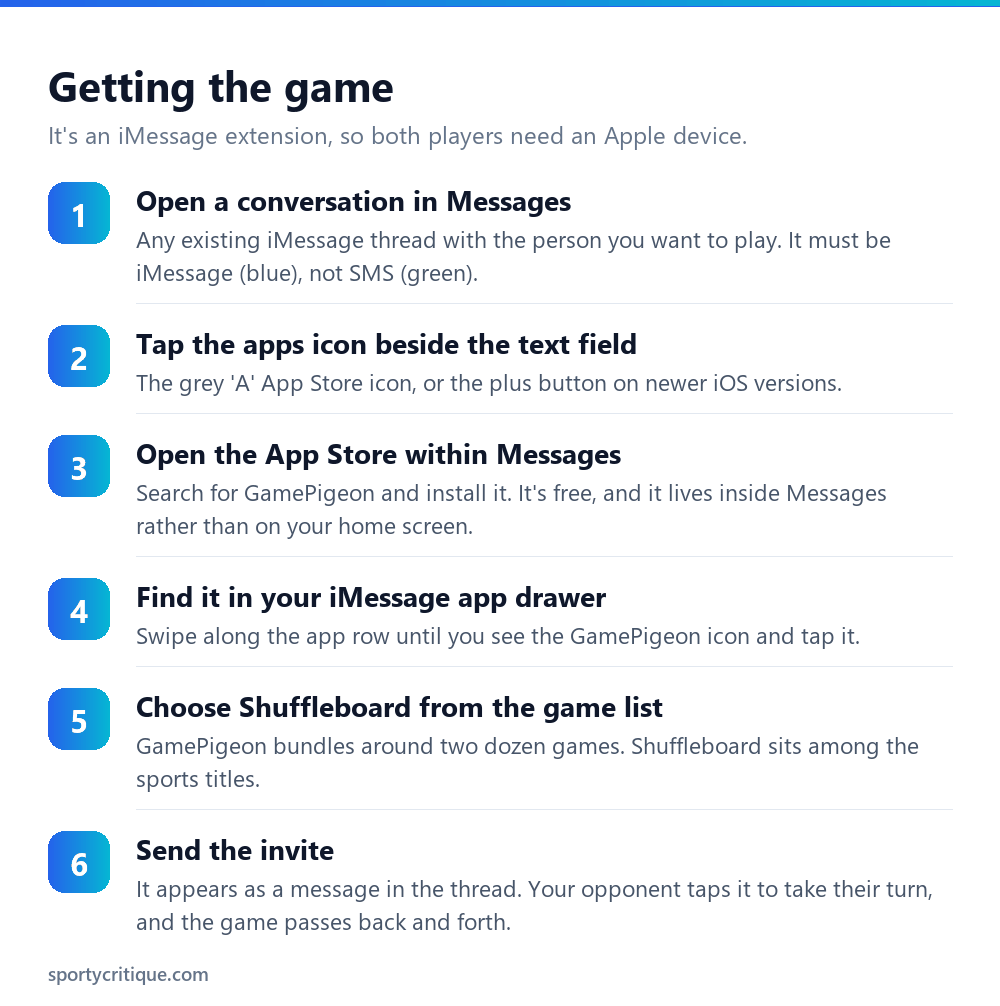
The step that confuses people is that GamePigeon isn’t found in the ordinary App Store search on your home screen — or rather, it can be, but the useful route is through Messages itself. It’s an iMessage app, a category of extension that lives inside conversations rather than as an icon on your device.
So open a conversation first, then look for the apps icon beside the text input field. On recent iOS versions this is a plus button; on older ones it’s a grey App Store “A”. From there you can browse or search the iMessage App Store, and GamePigeon installs into your app drawer within Messages.
Once installed, you access it by opening any conversation, swiping along the app row, and tapping the GamePigeon icon. It offers a grid of around two dozen games — 8-ball, darts, basketball, sea battle and so on — with Shuffleboard among the sports titles.
⚠️ Watch out: Both players need an Apple device. GamePigeon runs as an iMessage extension, so it only works in blue iMessage threads, not green SMS ones. There’s no Android version, and a group chat containing one Android user will typically break the game invites for everyone.
How the game plays
The control scheme is a single gesture. Touch and hold your puck, then drag backwards — away from the direction you want it to travel — and an aiming line appears. The further back you drag, the more power you apply; the angle of the drag sets the direction. Release to shoot.
If you’ve played the 8-ball or basketball games in the same pack, it’s the same input model, which is part of why GamePigeon is easy to pick up. It’s also the source of the most common beginner mistake: dragging much too far back, sending the puck straight off the far end where it scores nothing at all.
Play is turn-based and asynchronous. You take your shot, it sends as a message, and your opponent takes theirs whenever they next open the thread. A game might take five minutes or three days. That’s the format’s real appeal — it fits into a conversation rather than demanding a session.
The single biggest scoring gain is dragging back less far than feels right. Almost every new player loses their first few pucks off the end.
Tips for scoring better
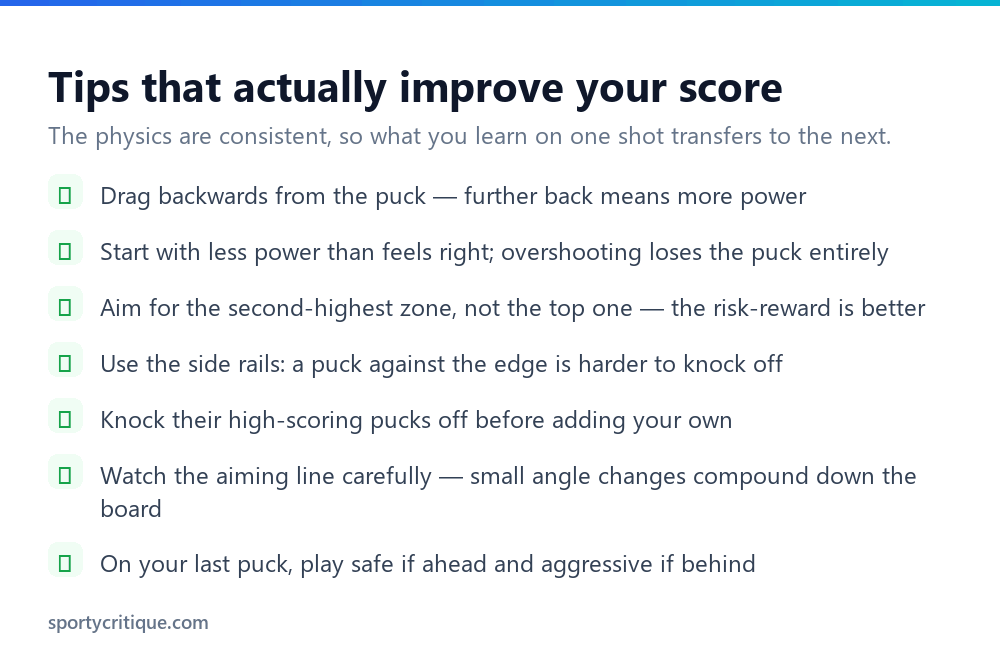
Start softer than instinct suggests. The scoring zones sit well before the end of the board, and a puck that overshoots is gone entirely. Aim to land in the middle zones first, then adjust upward once you’ve calibrated. Unlike a real table, the app’s physics are perfectly consistent, so a power setting that worked last shot will work again — which makes deliberate calibration far more valuable here than in a bar.
Target the second-highest zone. Going for maximum points every shot means regularly overshooting into nothing. The zone just short of the highest one usually offers a much better balance of reward against the risk of losing the puck completely, and consistent mid-scoring beats occasional maximums with gaps in between.
Use the rails. A puck resting against the side edge is harder for your opponent to knock cleanly off, because they have to hit it at an angle that risks sending their own puck off the side. Deep and wide is a more defensible position than deep and central.
Knock first, place second. If your opponent has a puck sitting in a high zone, removing it is usually worth more than adding one of your own — the same logic that governs the physical game, as our shuffleboard strategy guide explains at length. Clear their threats while you still have pucks in hand rather than trying to out-score them at the end.
💡 Pro tip: Take a moment on the aiming line before releasing. Small angle differences compound over the length of the board, and the app gives you as long as you like to line the shot up — there’s no clock. Rushing a shot in a turn-based game costs you nothing to avoid.
How faithful is it?
Reasonably, for a phone game, and it’s worth knowing where it diverges if you also play the real thing.
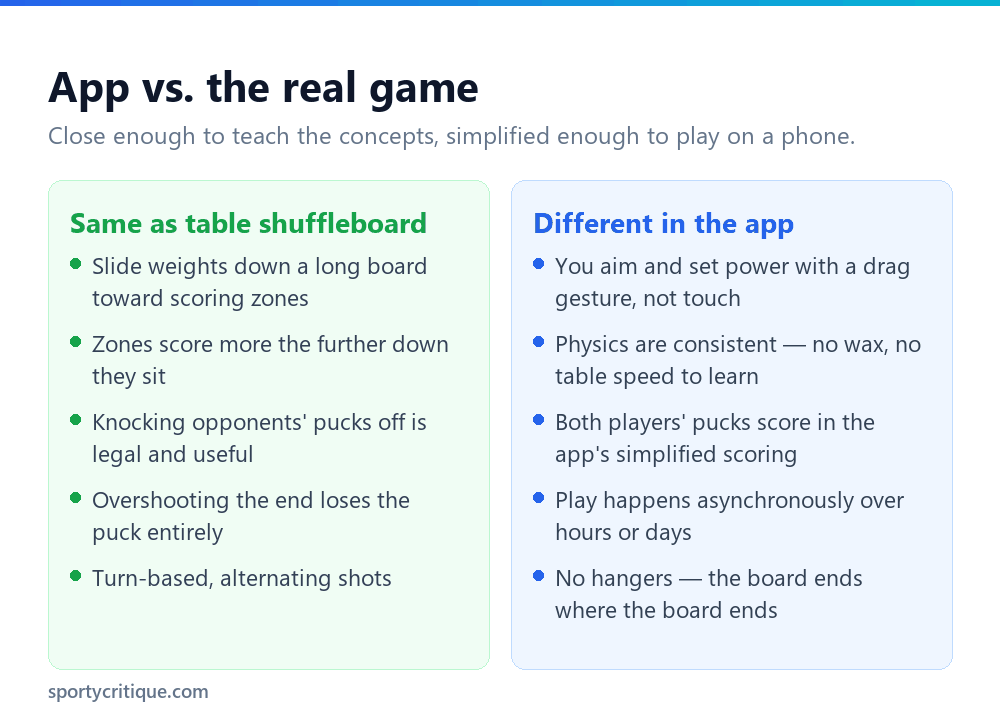
What it gets right: the fundamental tension of the sport. You’re balancing placement against removal, deciding whether to score or to deny, and managing the risk that a shot that’s slightly too strong is worth nothing. That’s genuinely what table shuffleboard feels like, and it’s why the app is a decent introduction.
What it simplifies: the scoring. Real table shuffleboard scoring has the distinctive rule that only one player scores per round — whoever has the weight furthest down the board — which is what makes knock-offs so devastating. The app uses a more intuitive system where pucks score for whoever owns them, which is easier to follow on a small screen but removes a layer of the real game’s strategy.
What’s missing entirely: touch. On a physical table, half the skill is calibrating to that particular surface — the wax speed, the drift, how the board plays that day. The app’s physics never vary, which makes it fairer and considerably less interesting once you’ve learned the power settings. There’s no equivalent of the bar regular who wins because they know their table.
Common problems
The apps icon isn’t there. On recent iOS versions the App Store icon was consolidated into the plus button beside the text field — tap that and choose the Store option. If you still can’t see it, check that iMessage apps aren’t restricted under Screen Time settings.
The invite won’t send, or shows as a broken link. Almost always because the thread isn’t iMessage. Green bubbles mean SMS, which can’t carry app content. Both parties need an Apple device with iMessage enabled and an internet connection.
The game shows as a blank message. Usually the recipient doesn’t have GamePigeon installed — they’ll see a placeholder prompting them to install it. Once they do, the game becomes playable in the thread.
Turns not updating. Force-quit Messages and reopen the thread. Asynchronous games occasionally fail to refresh, particularly in busy group chats, and reopening the conversation usually resolves it.
📊 Note: GamePigeon is free but includes in-app purchases and advertising. If you’d rather avoid ads, the pack offers a paid option — worth knowing before handing a phone to a child, since the ad frequency in the free version is noticeable between games.
The other GamePigeon games worth knowing
Shuffleboard sits in a pack of roughly two dozen games, and a few of the others are close relatives worth trying if you like the sliding-and-aiming genre.
The practical point for shuffleboard players: 8-Ball and Mini Golf both train reading angles and rebounds off rails, which is directly useful when you’re trying to knock an opponent’s puck off without losing your own. If your shuffleboard shots keep going astray on angled attempts, a few rounds of Mini Golf is oddly effective practice.
If you enjoy it, try the real thing
The app is a decent gateway, and the physical games are more rewarding in ways the phone version can’t reproduce. If you find yourself playing a lot of GamePigeon shuffleboard, the natural next step is finding a real board.
Table shuffleboard is common in American bars and increasingly in pubs elsewhere, and the transition is easy since the app teaches the core decisions. The main adjustments are learning that only the leading player scores — which makes the game far more aggressive than the app — and learning to calibrate to each table’s speed. Our table shuffleboard guide covers both.
Deck shuffleboard, the outdoor court version played with cues, is a different proposition again and shares less with the app. Our main shuffleboard guide compares all of them, which is worth reading if only to understand why the word covers three quite different games.
Frequently asked questions
How do I get shuffleboard on iMessage?
Install GamePigeon, a free app pack that runs inside Messages. Open any iMessage conversation, tap the apps icon beside the text field, search the iMessage App Store for GamePigeon, install it, then open it from your app drawer and choose Shuffleboard from the game list.
Can Android users play iMessage shuffleboard?
No. GamePigeon is an iMessage extension and only works in blue iMessage threads between Apple devices. There’s no Android version, and including an Android user in a group chat generally breaks game invites for everyone in it.
How do you aim in GamePigeon shuffleboard?
Touch and hold your puck, then drag backwards — away from the direction you want it to go. An aiming line appears, the angle sets direction, and the drag distance sets power. Release to shoot. Most beginners drag far too far back and send pucks off the end.
Why is my GamePigeon game not sending?
The conversation almost certainly isn’t iMessage. Green message bubbles indicate SMS, which can’t carry app content — both people need Apple devices with iMessage enabled and a working internet connection. If the recipient sees a blank message, they need to install GamePigeon themselves.
Is GamePigeon shuffleboard the same as real shuffleboard?
It captures the core decisions — place deep or knock theirs off — but simplifies the scoring. Real table shuffleboard only awards points to the player with the furthest weight, which makes knock-offs far more decisive. The app scores each player’s pucks individually, which is easier to follow but less strategic.
How do I win at iMessage shuffleboard?
Use less power than feels natural, aim for the second-highest zone rather than the maximum, tuck pucks against the side rails where they’re harder to dislodge, and clear your opponent’s high-scoring pucks before adding more of your own. Because the physics never vary, calibrating your power early pays off for the whole game.
- →Table shuffleboard — the bar game the app is based on
- →Shuffleboard scoring — and why the real rules are more aggressive
- →Strategy and how to win — tactics that transfer from the app
- →How to play shuffleboard — all three versions compared