Heart Rate Monitoring While Swimming: What Actually Works


The catch nobody mentions: Bluetooth doesn’t work underwater, so a normal watch or chest strap can’t show your heart rate live while you swim. Your options are a chest strap with built-in memory (records the whole session, syncs to your phone afterward), an optical armband worn on the forearm rather than the wrist, or — for genuinely live numbers — a 5 kHz analog strap or smart swim goggles with a heads-up display. Wrist watches read poorly in water regardless. Whatever you choose needs at least a 5 ATM waterproof rating.
Heart rate monitoring is one of the best training tools in swimming and one of the most frustrating to actually set up, because the water fights you at every step. The core problem catches almost everyone out: the technology that works perfectly for running simply doesn’t transmit through water.
This guide explains why, walks through what actually works from free to fancy, and covers what to do with the numbers once you have them.
- →Bluetooth is blocked by water — no standard device shows live HR underwater.
- →Wrist optical sensors read badly when submerged; the wrist is the worst place for it.
- →A chest strap with memory is the accurate, affordable answer — you review it after.
- →Genuinely live data needs a 5 kHz analog strap or a heads-up-display goggle.
- →Any swim monitor needs a 5 ATM (50m) waterproof rating minimum.
- →The point of it all is knowing whether your easy swims are actually easy.
Table of Contents
Why your smartwatch can’t do it
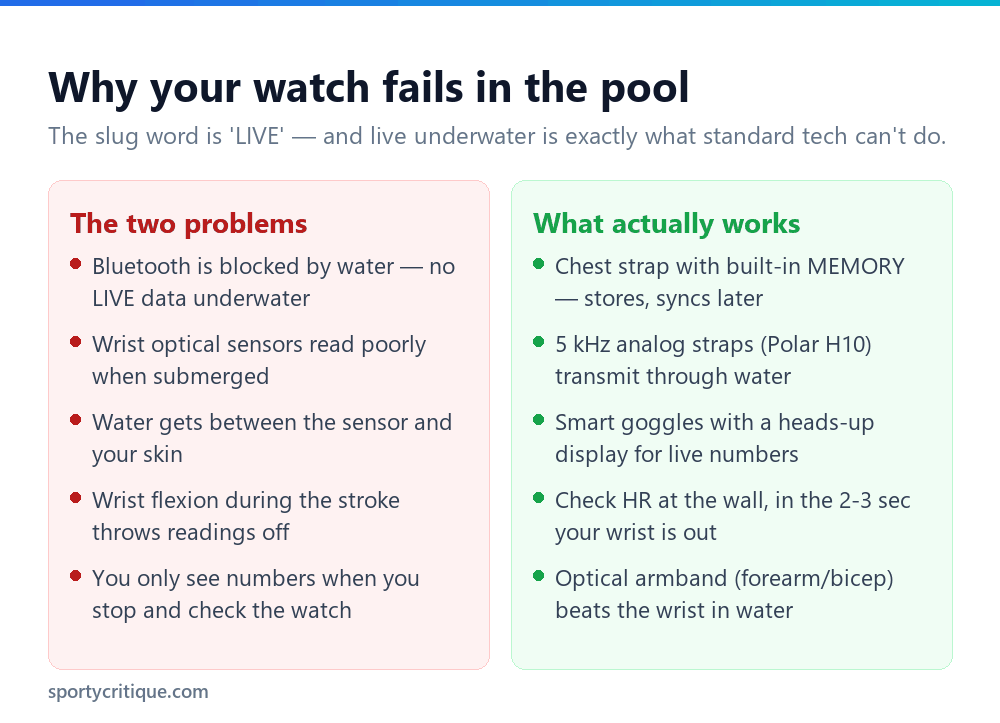
Two separate problems stack up in the water, and understanding both saves you from buying the wrong thing.
The transmission problem. Modern heart rate devices talk to your watch or phone over Bluetooth, which uses a 2.4 GHz radio signal — and water absorbs that frequency almost completely. A chest strap on your body can’t beam its reading to a watch on your wrist through several inches of water. This is why even an expensive strap-and-watch combo that works flawlessly on a run goes silent the moment you push off the wall. It’s not broken; the signal physically can’t get through.
The measurement problem. Separately, the optical sensors in wrist watches — the green lights that read blood flow through your skin — work poorly underwater. Water seeps between the sensor and your skin, and the constant flexing of your wrist through the stroke disrupts the reading. So even the on-watch number you might glance at is often unreliable in the pool.
The tech that works perfectly for running fails twice in water: the signal can’t transmit, and the wrist sensor can’t read. Swimming needs a different approach entirely.
Put together, these two facts explain why “live heart rate while swimming” is genuinely hard, and why the solutions below are more roundabout than you’d expect.
What actually works
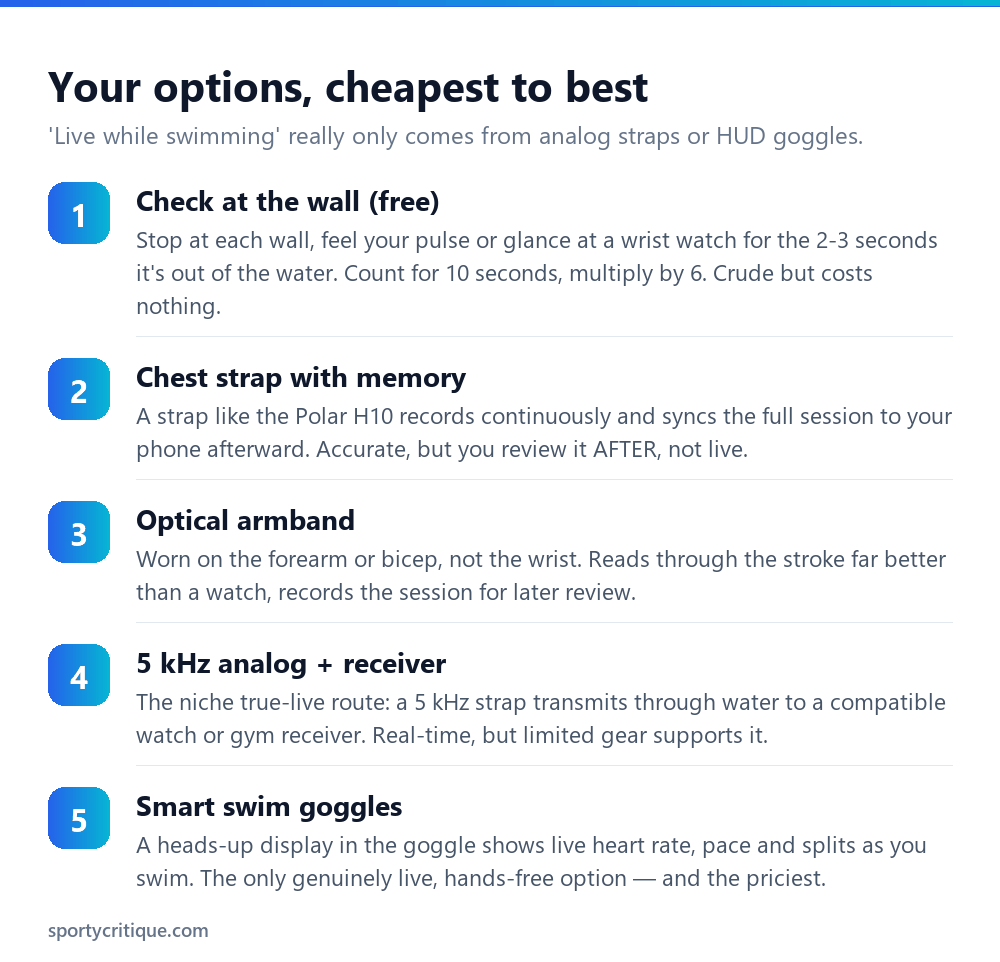
The chest strap with memory is the sweet spot for most swimmers. A strap like the Polar H10 records your heart rate continuously to its own internal memory throughout the swim, then syncs the complete session to your phone the moment you’re out of the water. You don’t get live numbers mid-lap, but you get an accurate, complete record to review — and for training purposes, reviewing the session tells you almost everything you need. It’s accurate, affordable, and it sidesteps the Bluetooth problem entirely by not transmitting until you surface.
An optical armband is the strap-averse alternative. Worn on the forearm or upper arm rather than the wrist, it reads far more reliably than a watch — the arm flexes less than the wrist, and the fit is snugger. Like the chest strap, most store the session for later review.
For genuinely live data, you need to route around Bluetooth. Some straps, including the Polar H10, also broadcast on an older 5 kHz analog frequency that does penetrate water, which a compatible watch or gym receiver can pick up in real time. And smart swim goggles project a heads-up display inside the lens, showing live heart rate, pace, and splits as you swim. Goggles are the only hands-free, glance-and-go live option — and the most expensive.
📊 Note: Whatever you buy, check the waterproof rating: you want at least 5 ATM (rated to 50 metres), which handles pool laps and open water plus chlorine and salt. A device that’s merely “water resistant” can fail under prolonged submersion.
The free method: check at the wall
Before spending anything, know that you can train by heart rate with no gear at all — and plenty of swimmers do.
At each wall, in the two or three seconds your hand and wrist are out of the water, either glance at a basic waterproof watch or press two fingers to your neck or wrist and count. Count the beats for ten seconds and multiply by six to get your rate per minute. It’s crude, it interrupts your rhythm slightly, and it only samples at the walls rather than continuously — but it’s genuinely useful for checking whether your easy sets are easy and your hard sets are hard.
The one trick that makes it work: count immediately, because your heart rate starts dropping the second you stop swimming. A ten-second count taken the instant you touch the wall is close enough for training decisions. This method is how swimmers monitored effort for decades before any of the gadgets existed, and it still works.
What to do with the numbers
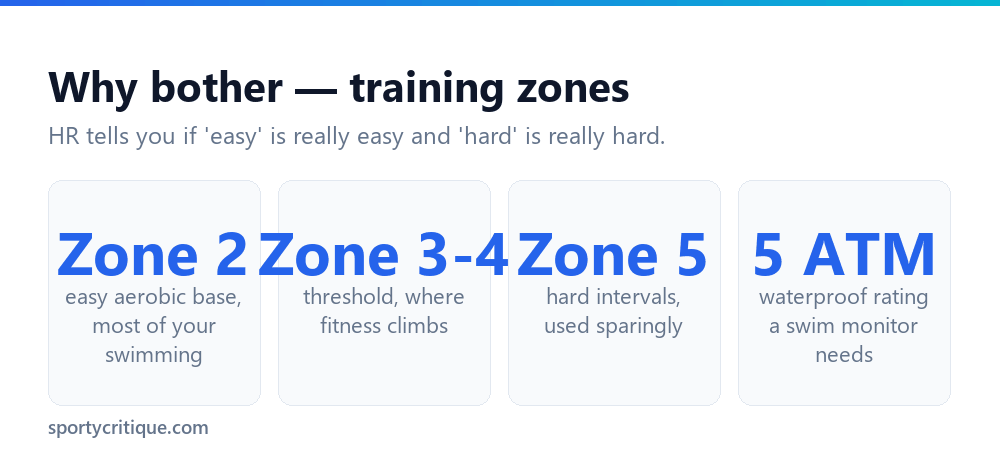
Measuring your heart rate only matters if it changes what you do, and the main thing it reveals is whether you’re training at the intensity you think you are.
The most common and most useful discovery is that your easy swims aren’t easy. Most swimmers push their steady laps too hard — hard enough to accumulate fatigue, not hard enough to build much — the same “grey zone” problem that plagues runners. A heart rate monitor exposes it instantly: if your easy set is sitting in Zone 3 or 4 when it should be Zone 2, you’re not recovering enough to make your hard sessions count. Slowing your easy swims down until the number drops is often the single most valuable change a heart rate monitor prompts.
Beyond that, heart rate lets you train by effort rather than pace, which suits swimming well. It confirms your hard intervals are actually hard, shows your recovery between reps (how fast your rate drops tells you a lot about your fitness), and tracks long-term progress — as you get fitter, you’ll hold the same pace at a lower heart rate, which is the clearest sign your training is working.
💡 Pro tip: Don’t obsess over exact zone boundaries, especially at first. The high-value insight is simply the easy-vs-hard split: are your recovery swims genuinely relaxed, and are your efforts genuinely efforts? Getting that right matters far more than whether a rep was in Zone 4a or 4b. Pair it with the breath-control work in our lung capacity guide and you’re training the two things that actually reduce breathlessness.
Finding your zones without a lab test
Training zones are only useful if you know roughly where yours fall, and the textbook “220 minus your age” formula is both inaccurate and wrong for swimming specifically.
Two adjustments matter. First, that formula is a rough population average that can be off by 10–20 beats for any individual — treat any age-based estimate as a loose starting point, not a fact about your body. Second, and less well known: your maximum heart rate in the water is typically lower than on land, often by around 10–15 beats. The horizontal body position, the cooling effect of the water, and the pressure on your chest all lower it. So zones you calculated on a run will be set too high for the pool, and you’ll wonder why you can never reach the top of them.
The practical way to anchor your zones is a simple field test rather than an equation. After a thorough warm-up, swim a hard, sustained effort — a 400 or a few hard 100s with short rest — and check your heart rate immediately at the wall. The highest number you see is close to your swimming maximum, and you can build rough zones down from there: easy Zone 2 sits well below it, threshold work sits near the upper-middle, and true hard intervals approach it. Re-test every couple of months, because the number drifts as you get fitter.
⚠️ Watch out: Only do a maximal effort test if you’re healthy and used to hard exercise, and never as your first-ever hard swim. If you have any heart condition or haven’t exercised at intensity before, see a doctor first — and in that case the wall-check method with easy, conversational pacing is all you need anyway.
Open water: the extra wrinkle
Everything above assumes a pool, where you touch a wall regularly. Open water removes the walls, which changes things worth knowing before a lake or sea swim.
Without walls, the free wall-check method largely disappears — there’s nowhere to stop and count without treading water and losing your rhythm. This is where a recording chest strap earns its place: it captures your whole open-water swim continuously for review afterward, walls or no walls. And if you want live feedback to pace a long open-water effort, heads-up-display goggles become genuinely useful rather than a luxury, since there’s no other way to glance at a number mid-swim.
Open water also tends to run your heart rate a little higher than the same effort in a pool — cold water, sighting, waves, and the adrenaline of open water all add up. Don’t be alarmed if your steady pace shows a higher number than usual; factor it in rather than fighting it, and lean on perceived effort alongside the data.
Frequently asked questions
Why won’t my heart rate show up on my watch while swimming?
Because water blocks the Bluetooth signal your strap uses to talk to the watch, and because wrist optical sensors read poorly underwater. It’s not a fault — the 2.4 GHz signal physically can’t transmit through water. Use a chest strap with internal memory that syncs after your swim, or a device using the older 5 kHz analog frequency, which does penetrate water.
What’s the best heart rate monitor for swimming?
For most swimmers, a chest strap with built-in memory (the Polar H10 is the common pick) — it records the full session accurately and syncs afterward, and it also supports the 5 kHz analog signal for live data with compatible receivers. If you want live numbers hands-free, smart swim goggles with a heads-up display are the only real option, at a much higher price. Any choice needs at least a 5 ATM waterproof rating.
Can I see my heart rate live while swimming?
Only with specific gear. Standard Bluetooth devices can’t — the signal doesn’t pass through water. Genuinely live options are a 5 kHz analog strap paired with a compatible watch or receiver, or smart swim goggles that display the number in the lens. Everything else records the data for you to review once you’re out of the water.
Are wrist-based heart rate readings accurate for swimming?
Generally no. The wrist is the worst location for optical heart rate in water — the sensor loses skin contact, water interferes, and the constant wrist flexion of the stroke disrupts readings. An optical sensor on the forearm or upper arm does noticeably better, and a chest strap is the most accurate option of all.
Do I even need a heart rate monitor to swim well?
No — it’s a useful tool, not a requirement. Its biggest value is revealing that your easy swims are too hard, which is a very common and very correctable mistake. You can get most of that benefit for free by checking your pulse at the wall. Buy a monitor if you’re training structured sessions and want to train by effort; skip it if you’re swimming for fitness and enjoyment.
What waterproof rating do I need?
At least 5 ATM, which means the device is rated to withstand pressure equivalent to 50 metres of water — enough for pool swimming and open water, including chlorine and saltwater exposure. Devices labelled only ‘water resistant’ or with a lower rating can fail under the prolonged submersion of a real swim session.
- →Increase lung capacity for swimming — training breath control and CO2 tolerance
- →How to breathe while swimming — the technique underneath the fitness